Jobs
One list you can sort and search. Click a status to change it. An estimate waits in a queue and counts toward nothing until you say the car is coming in.
01The product
The estimate, the parts, the photos, the paperwork and what you are owed. Four screens do most of the work.
Morning
Drop yesterday's export folder in. New estimates come in, old ones are skipped.
Through the day
Cars arrive. Estimates become jobs and get their numbers. Statuses change on the list.
When you order
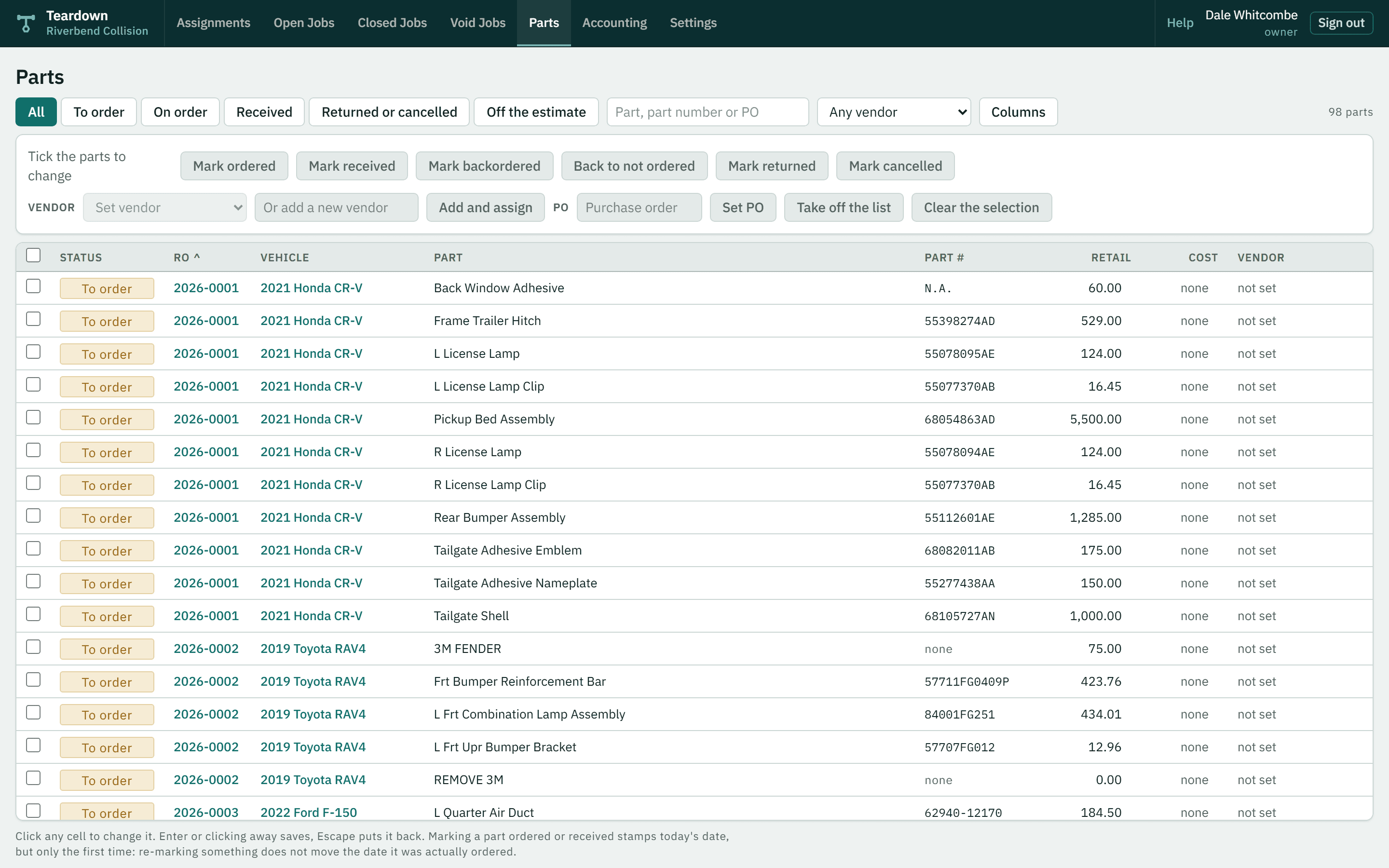
One parts screen across every open job, with your vendors in the list.
When the insurer asks
Photos out as one PDF. Estimate, work order, invoice and parts list all print.
End of month
What you made, what you are owed, and what is still in the shop.
02What is in it
One list you can sort and search. Click a status to change it. An estimate waits in a queue and counts toward nothing until you say the car is coming in.
Every version is kept. A supplement applies as soon as it comes in, because you already approved it in Mitchell, and you get a list of what changed and what it did to the price.
Every part across every open job on one screen. A part you have ordered stays ordered when a supplement lands, and one taken off the estimate is marked, not deleted, because it may be on your shelf.
Photos sit on the job and come out as one PDF. The accounting screens are worked out from the jobs, so two screens cannot tell you different numbers.
03What works differently
Most of what this does, other software also does. These three are where it disagrees with what you use now.
Imported estimates wait in a queue. They are in none of your numbers and they do not use up a repair order number. Move it when the car is actually coming in. If it never happens, archive it.
Whatever Mitchell sent comes in. What is missing is marked so you can see it. Fill it in later, or never. You will not be typing a zero into a box to get past a screen.
Click, type, press Enter. A part price, a phone number, a status, the name of a stage. Escape puts it back. There is no save button to forget.
04Fair questions
You would be putting your shop's records into software written by one person. These four should decide whether that is sensible.
Screens come up straight away, and the money is worked out by the database rather than the page. Waiting is what made the old software hard to live with, so it is the thing this gets measured on.
Not because the screens are careful, but because the database will not hand over another shop's records at all. It is checked by a test that stops the software shipping if it fails.
Copied somewhere else every night, and the restore has been run rather than assumed. Ask for an export of your own data whenever you want one.
Running the platform does not come with access to your records. If I need to look at something to help you, you let me in, it is recorded, and it runs out.
05Have a look
Within a day
I write back. One person, not a sequence.
Half an hour, when it suits you
A walkthrough on a screen share, or at the shop if you are near Calgary. Bring one of your own exports and we will import it while you watch.
Then 14 days
Your own shop, set up properly, with your repair order numbers carried on from where they are now. No card until you decide.
Or skip the form. Call 403 360 8483, or write to info@teardownauto.com.